
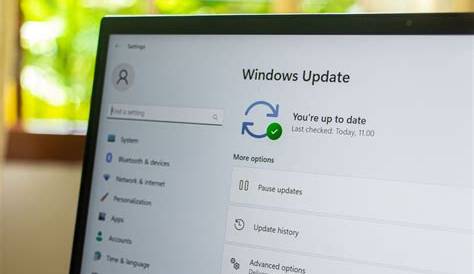
Cumulative updates are essential packages that bundle all previous updates, fixes, and enhancements for your Windows system into one installation. They help maintain system security and functionality by simplifying the update process, allowing users to install all necessary updates at once instead of individually.
What are cumulative updates and why do they exist?
Cumulative updates are specifically designed to streamline the update process in Windows systems. Instead of releasing individual patches for each identified issue, Microsoft combines all fixes into one package. When you install a cumulative update, you're not just getting the latest fixes but also all previous ones you might have missed. This consolidation helps maintain system integrity and reduces the likelihood of vulnerabilities persisting due to uninstalled updates. For example, if a critical security vulnerability is found, a cumulative update will address that along with other fixes, ensuring your system is protected.
How do cumulative updates work?
Cumulative updates are packaged as a single file that contains multiple updates rolled into one. When you check for updates in Windows, the system scans your current version and automatically downloads the cumulative update needed to bring your system up to date. If you've missed several updates since your last installation, you simply install the latest cumulative update, which will include all necessary fixes. This packaging saves time and reduces the chances of errors during installation.
What are the benefits of cumulative updates?
One of the primary benefits of cumulative updates is the significantly reduced installation time. By installing one comprehensive package rather than several individual updates, the process is much quicker. Additionally, this method improves system stability by ensuring that all updates are compatible with each other, minimizing conflicts that could arise from piecemeal installations. If a specific update resolves a known bug, having that fix along with other updates in a single installation helps ensure your system operates smoothly.
What are common misconceptions about cumulative updates?
Many users mistakenly believe that cumulative updates are optional or that they can skip them without consequence. In reality, these updates are critical for maintaining system security and performance. Another common misconception is that installing cumulative updates will slow down your system. While updates may temporarily require system resources during installation, they ultimately enhance performance by addressing bugs and vulnerabilities that can degrade system efficiency. It's essential to understand that avoiding these updates may expose your system to risks.

What should you do if you encounter issues with cumulative updates?
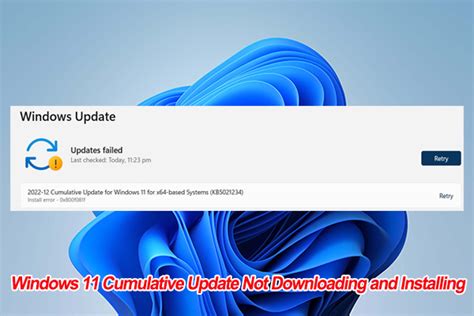
If you experience problems after installing a cumulative update, here are some steps you can take: 1. Restart your computer to see if the issue resolves itself. 2. Check for additional updates, as Microsoft may release quick fixes. 3. Use the Windows Update Troubleshooter to identify and resolve issues. ``cmd msdt.exe /id WindowsUpdateDiagnostic `` 4. If the problem persists, consider uninstalling the problematic update through "Settings > Update & Security > Windows Update > View update history > Uninstall updates." 5. Finally, if all else fails, restoring your system to a previous restore point may help.
Conclusion
Understanding cumulative updates can help reduce the frustration associated with managing your Windows updates. Keeping your system up to date with these packages is essential for security and performance. Regularly check for updates to ensure your system runs smoothly and securely.
Frequently Asked Questions
Are cumulative updates mandatory for all Windows users?
Yes, cumulative updates are crucial for maintaining system security and stability, and they are typically recommended for all users.
Can I uninstall a cumulative update if it causes problems?
Yes, you can uninstall cumulative updates through the settings menu if they cause issues.
Do cumulative updates include driver updates?
No, cumulative updates do not include driver updates. Driver updates are handled separately.
How often are cumulative updates released?
Cumulative updates are usually released on the second Tuesday of each month, known as Patch Tuesday.